Making YouTube streaming safer for kids and value-aligned for their parents

Overview
While working at Brandborne as a Lead Product Designer, I led the product strategy and hands-on product design for a parental control platform designed to make YouTube streaming safer and more value-aligned for kids. Through rapid prototyping, user research, and iterative testing, we explored how to give parents more control with minimal setup burden.
The result was a validated product direction, with parents consistently describing the concept as a strong solution to addictive content consumption while perceiving the platform as both high value and low effort to use.
- My role
- Lead Product Designer
- Core team
- 4 people
- Lead Product Designer
- Snr Product Designer
- Engineer
- Product Manager
- Methods
- Product Design
- Rapid Prototyping
- User Testing
- UX Design
- Qual Research
- Storyboarding
- Tools
- Figma
- UserTesting.com
- AI tools (Claude code)
- Miro
Results
of “love” from parents of children who use YouTube regularly
solution to participants concerns about their kids consuming junk
use of limited budget and time to boost UX and mitigate risk
Problem framing
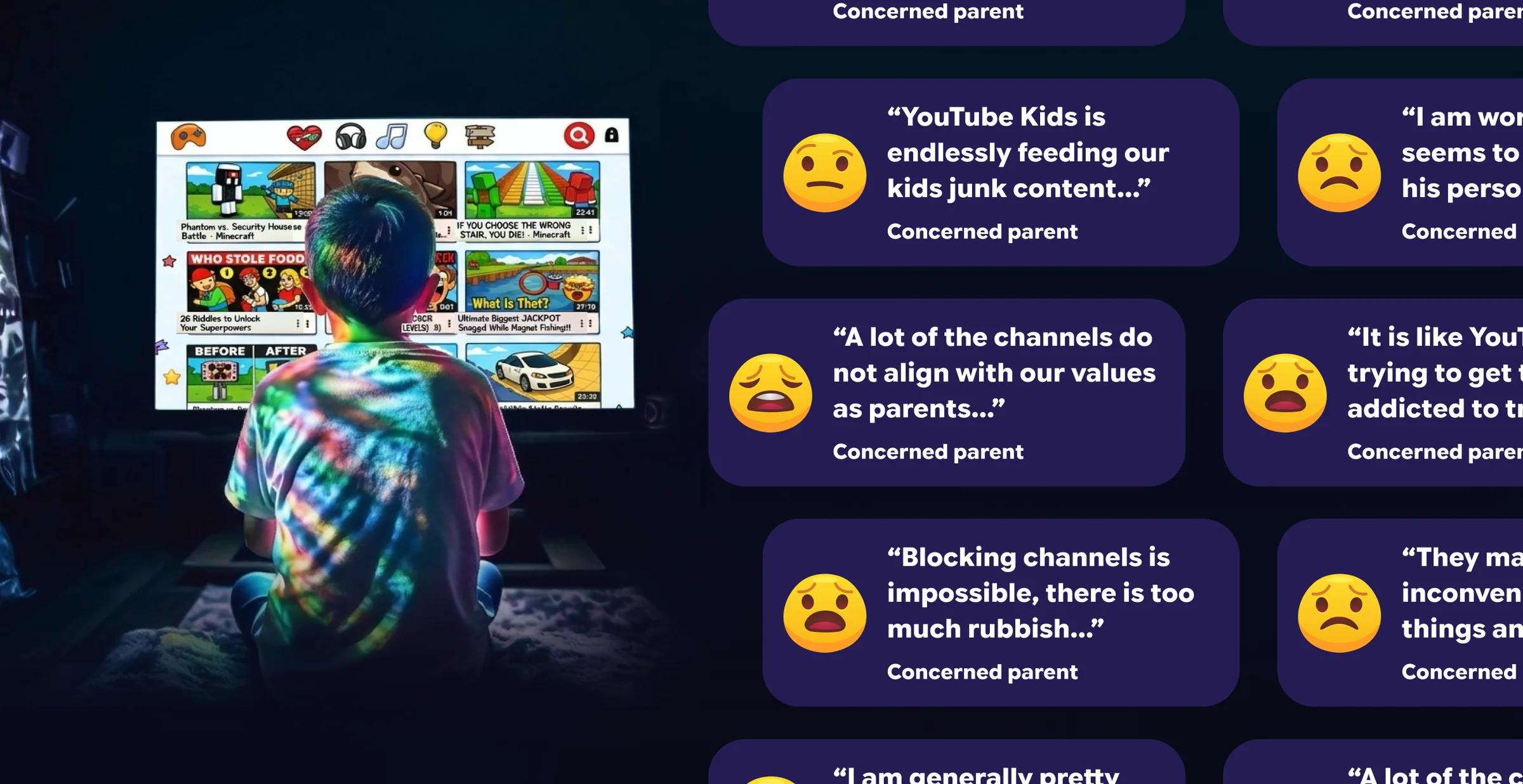
Our research team conducted exploratory qualitative research with 44 parents across the US and UK to help us understand problems with kids watching Youtube. Combined with background statistical research and datasets, this informed the problem below.
The problem
88% of 3–17-year-olds use YouTube. While YouTube Kids blocks age-inappropriate content, parents can only block channels one at a time, leaving many children glued to addictive but age-appropriate content.
The handover
A user researcher handed over a synthesized report of exploratory research with 44 parents and additional contextual research, alongside the raw findings, to myself and another designer.
The user • Archetypes
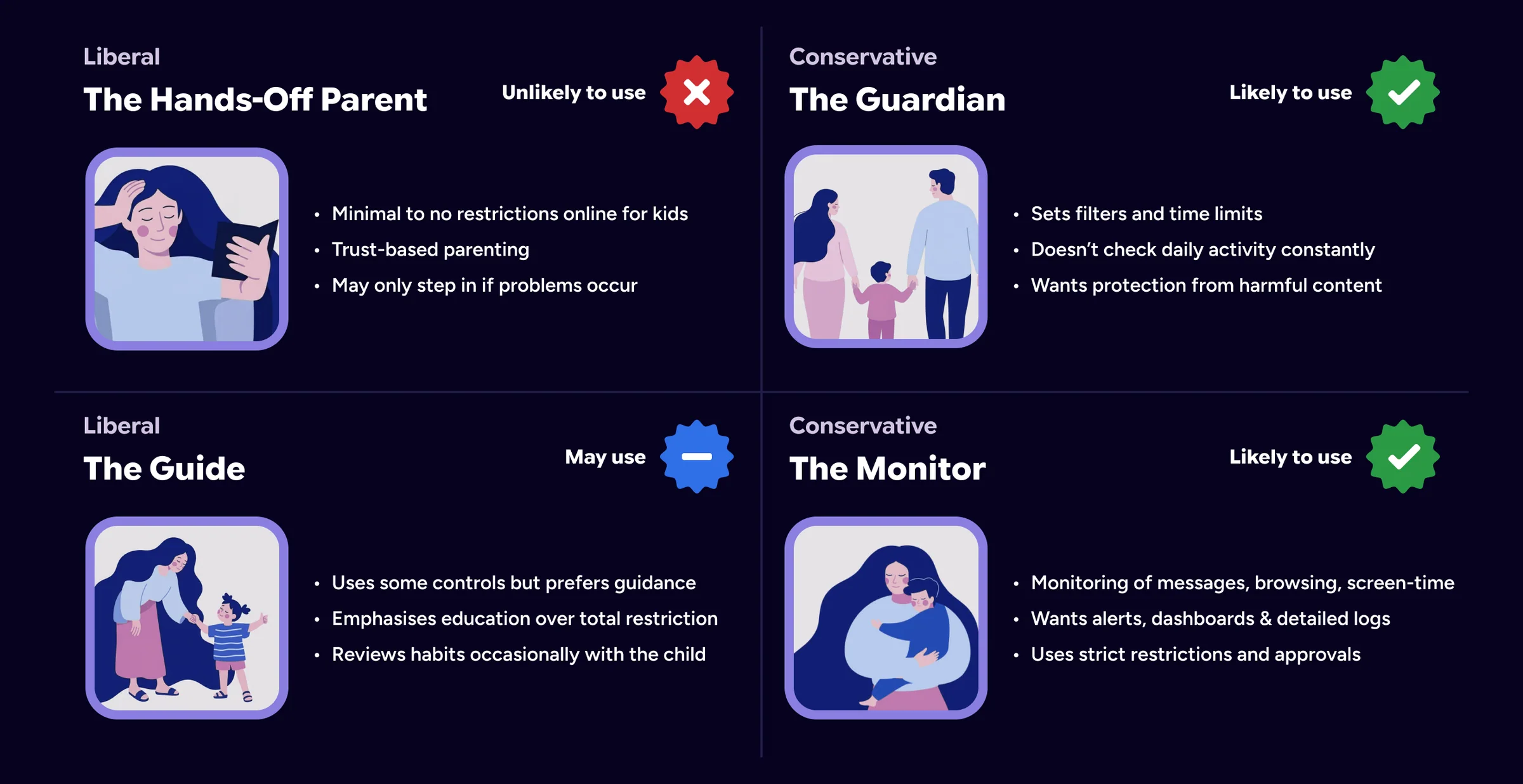
From the research, myself and another designer identified 4 parenting style archetypes. We focused on those most likely to use parental controls and refined them through testing.
Initial ideas
To begin the design, we came up with a high-level concept for how the problem could be solved:
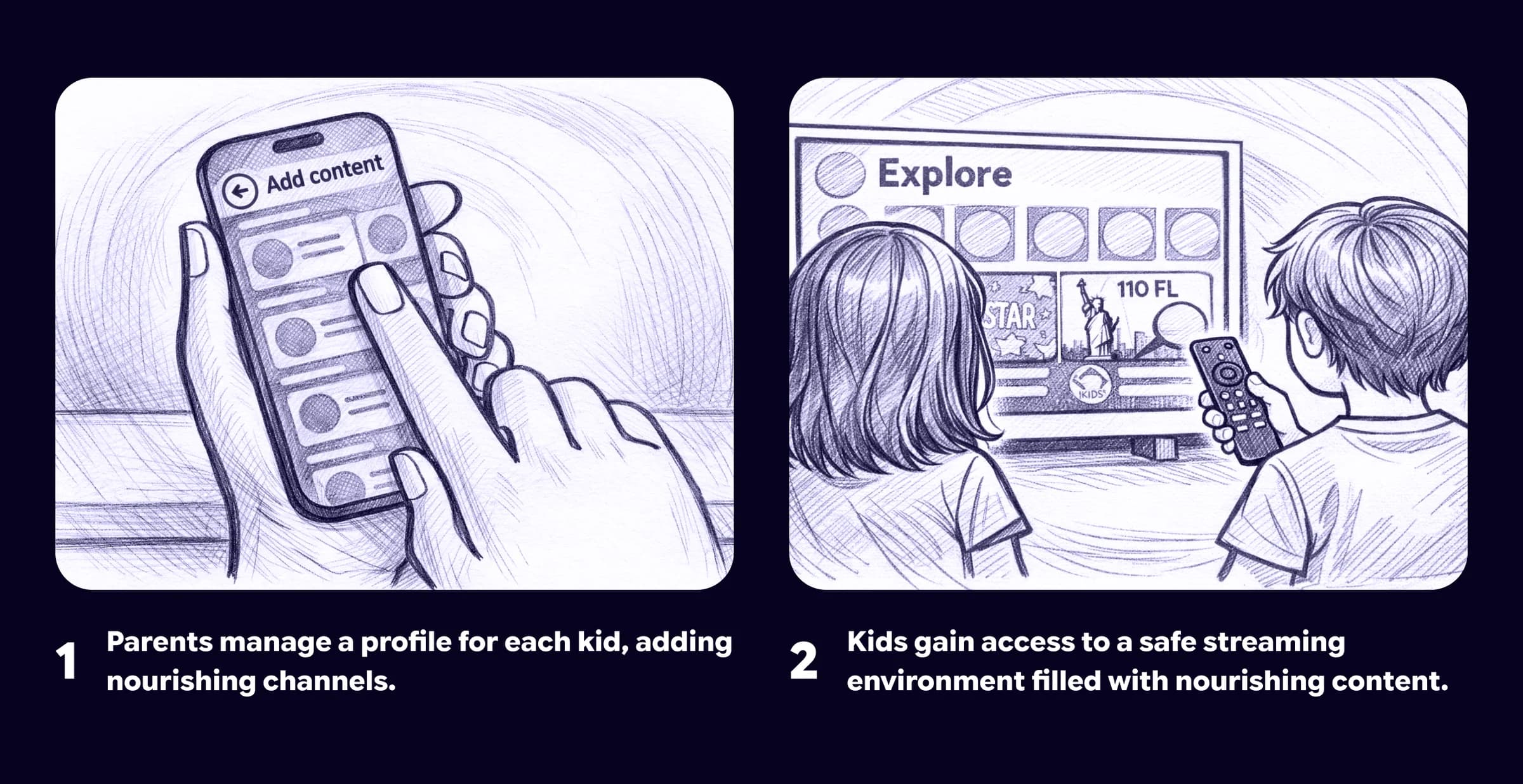
The core concept
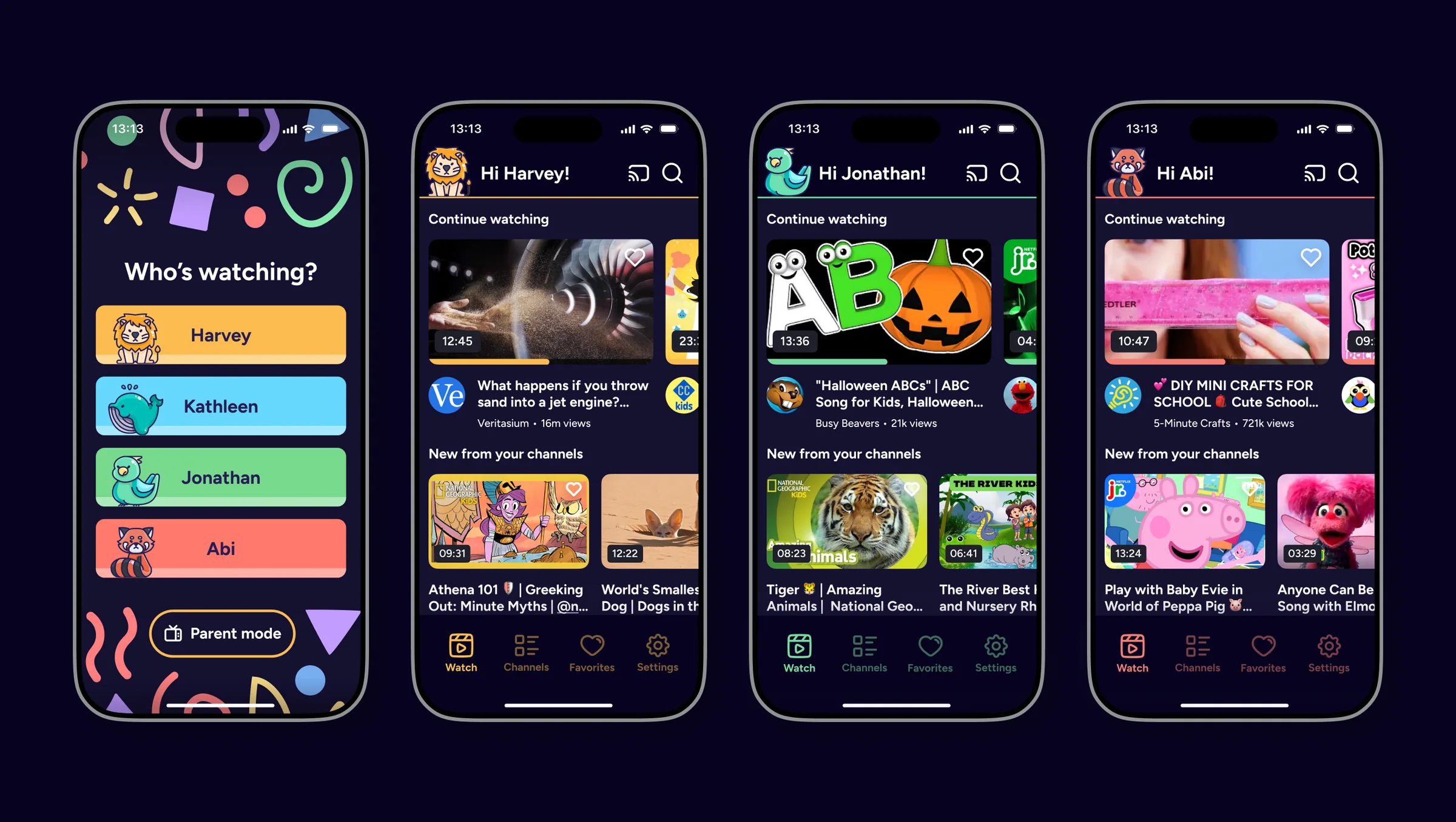
Unlike YouTube Kids, all content will be blocked by default, with parents approving only channels aligned with their values for each of their kids.
User testing focus
We focused user testing on the biggest adoption risk:
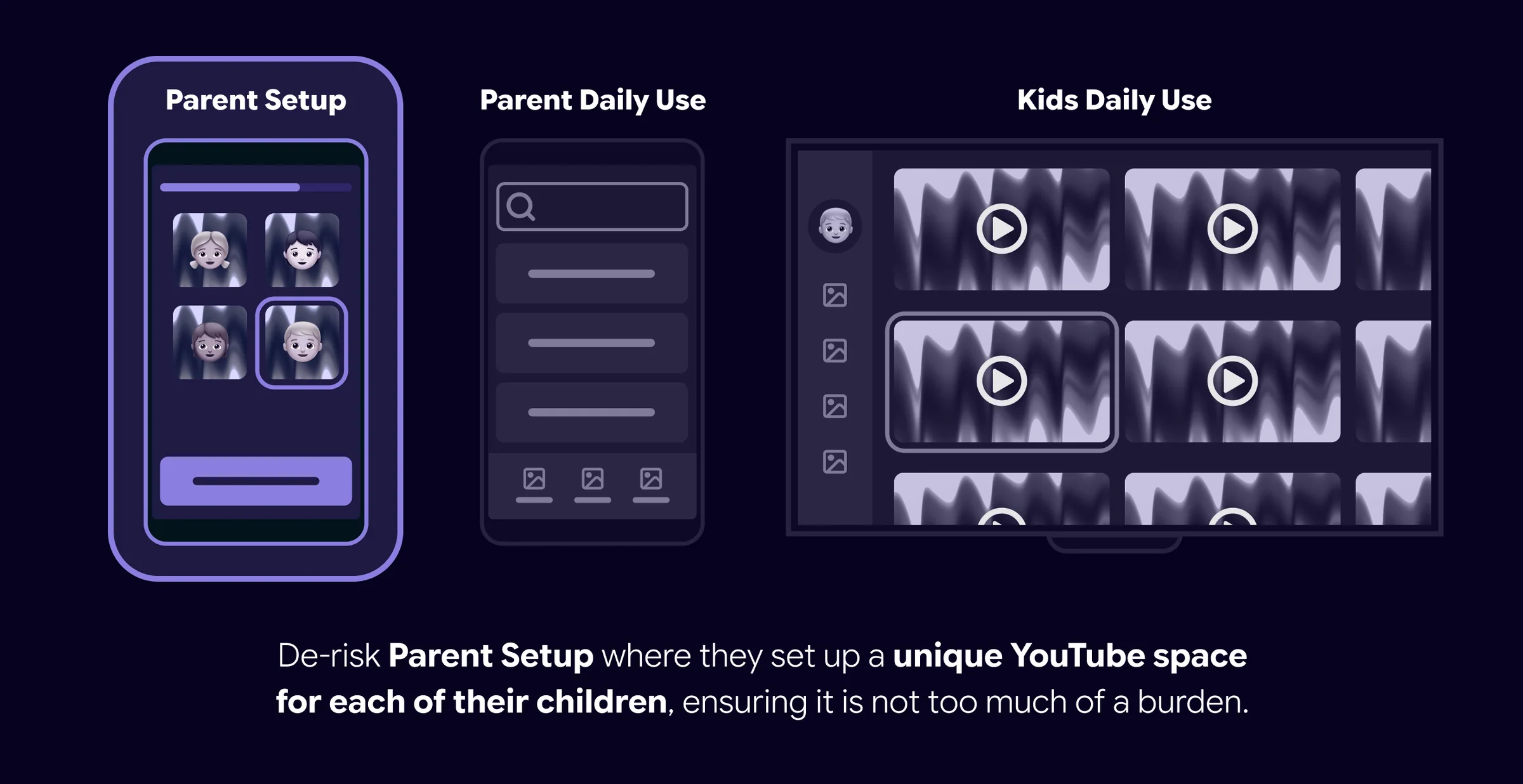
Would parents be willing to set up a unique YouTube space for each child, and how could we reduce the burden if not?
Cycle 1 • Design
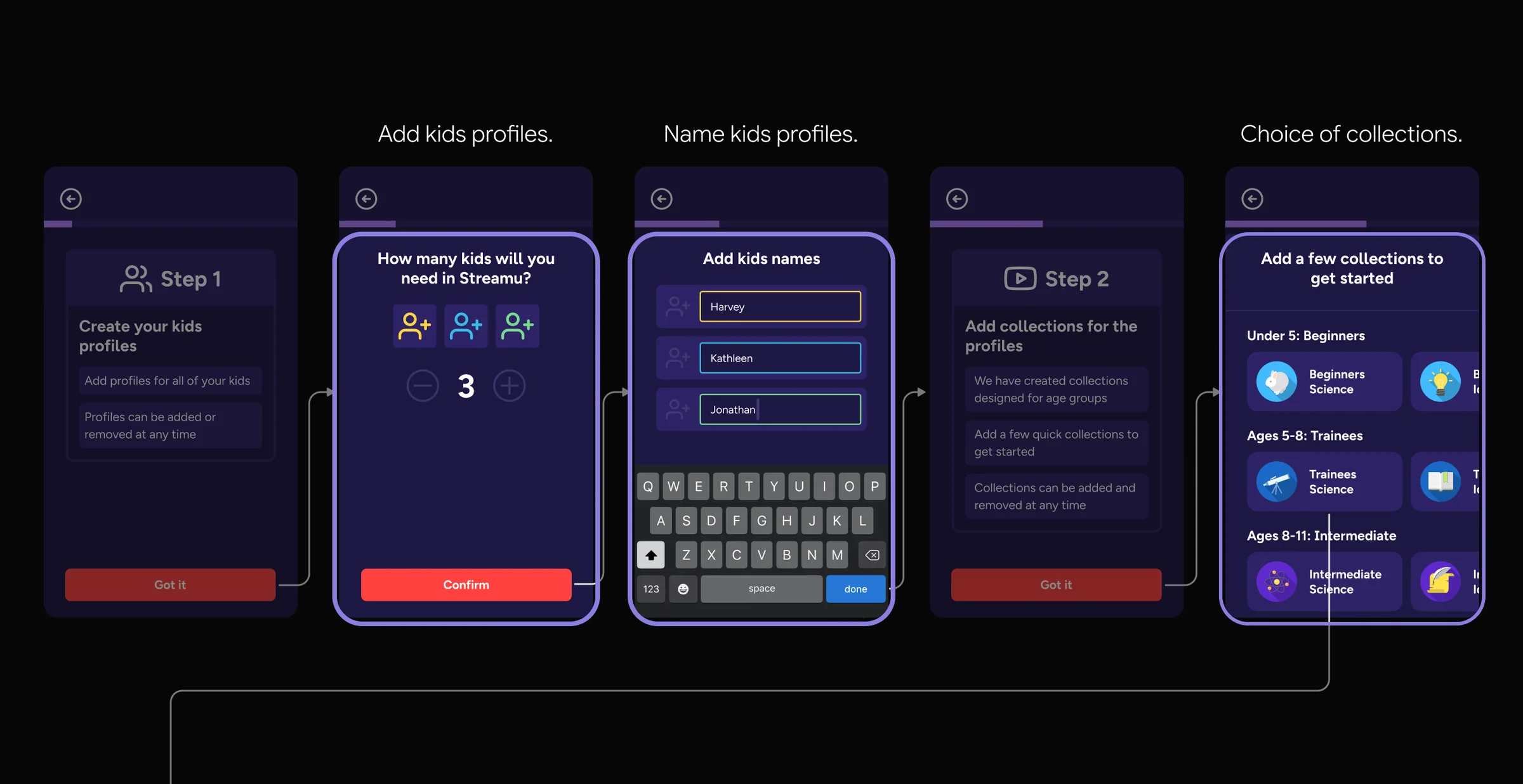
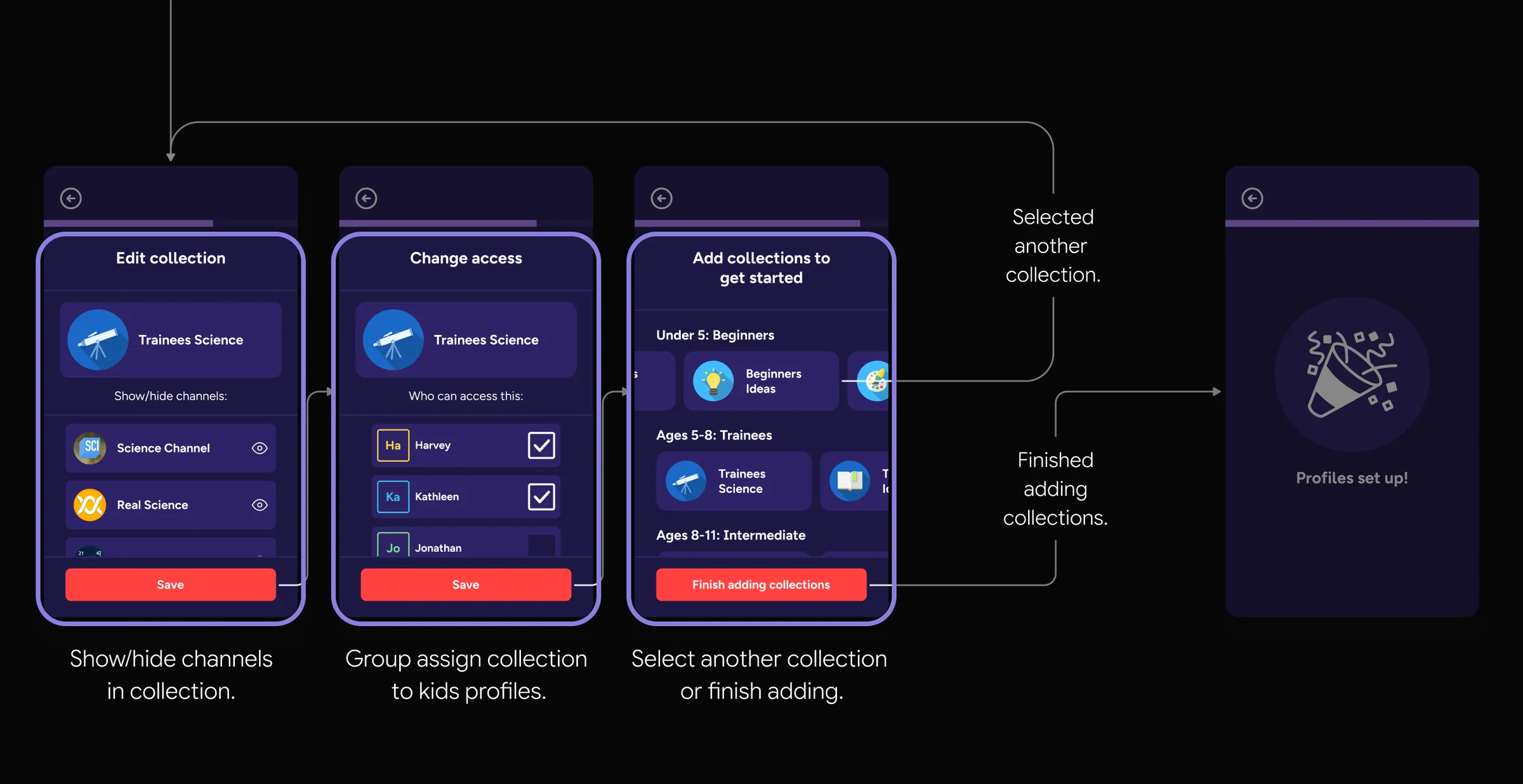
Working with another Product Designer, I explored ways to reduce setup burden and selected the most promising direction.
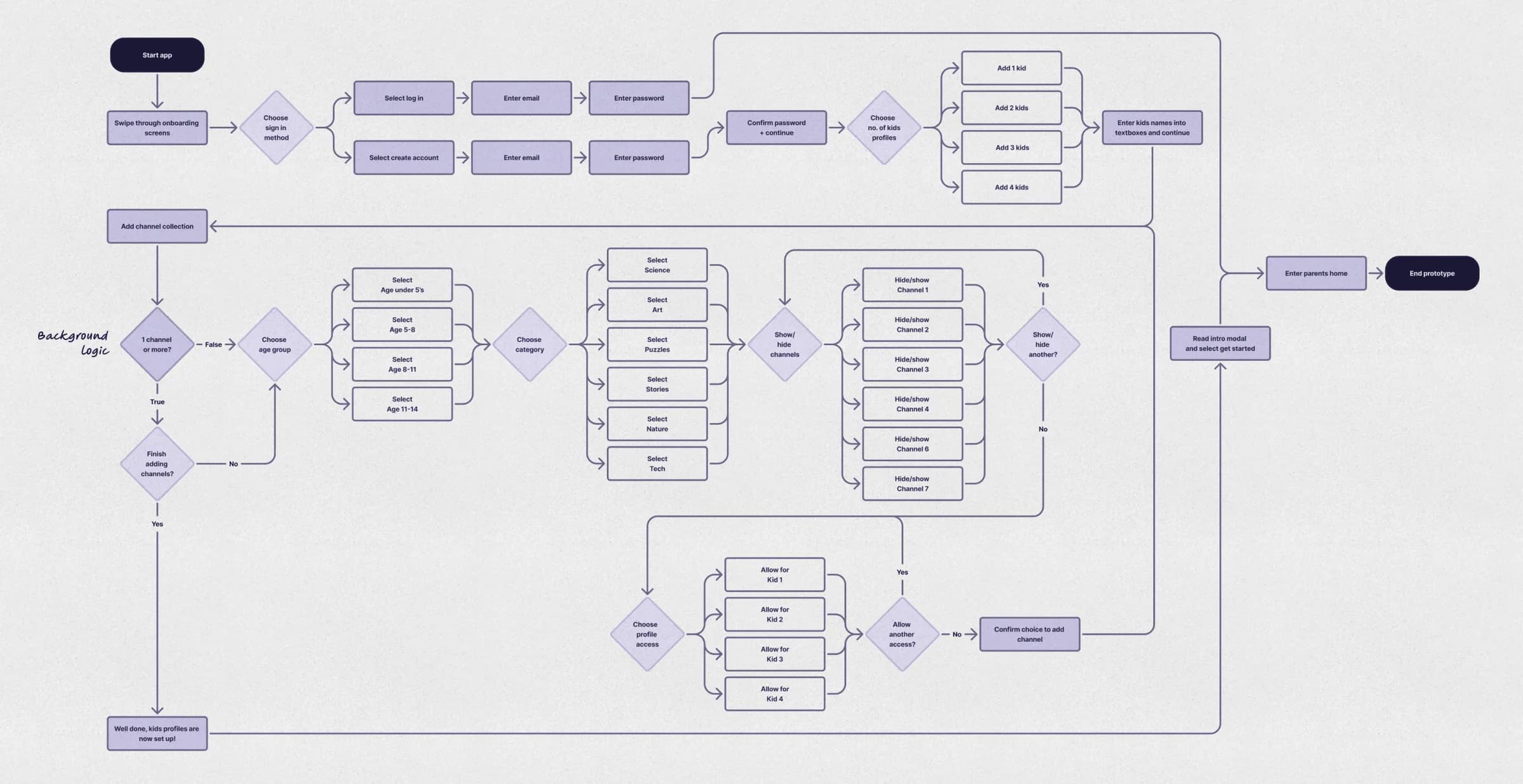
I translated the concept into a user flow for the first round of testing. The 80:20 rule guided many design decisions.
Cycle 1 • User testing
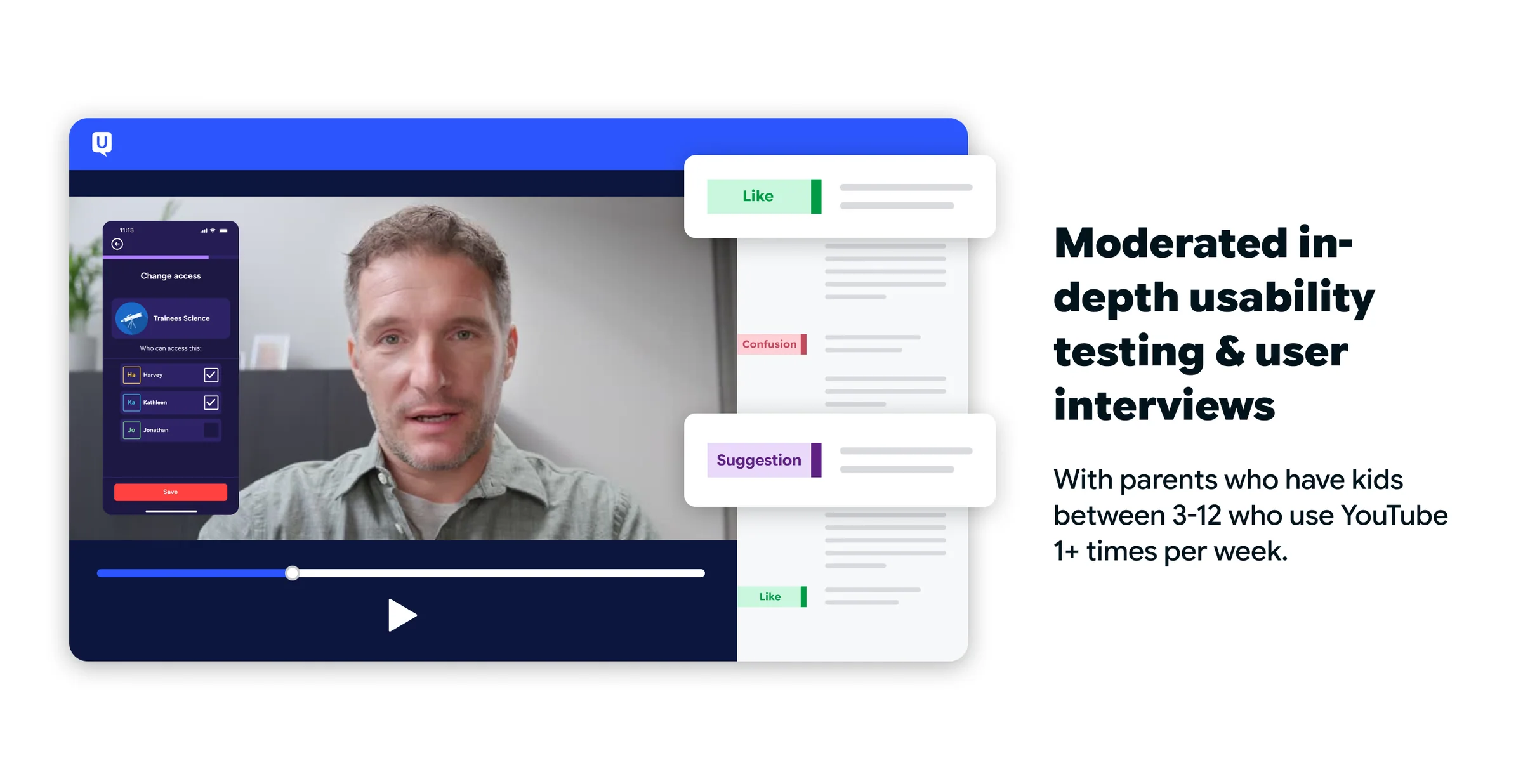
To explore the setup burden, I designed a lightweight prototype for early user testing. We tested the concept with five parents through and synthesised the findings into insights for the next iteration.
Hypothesis
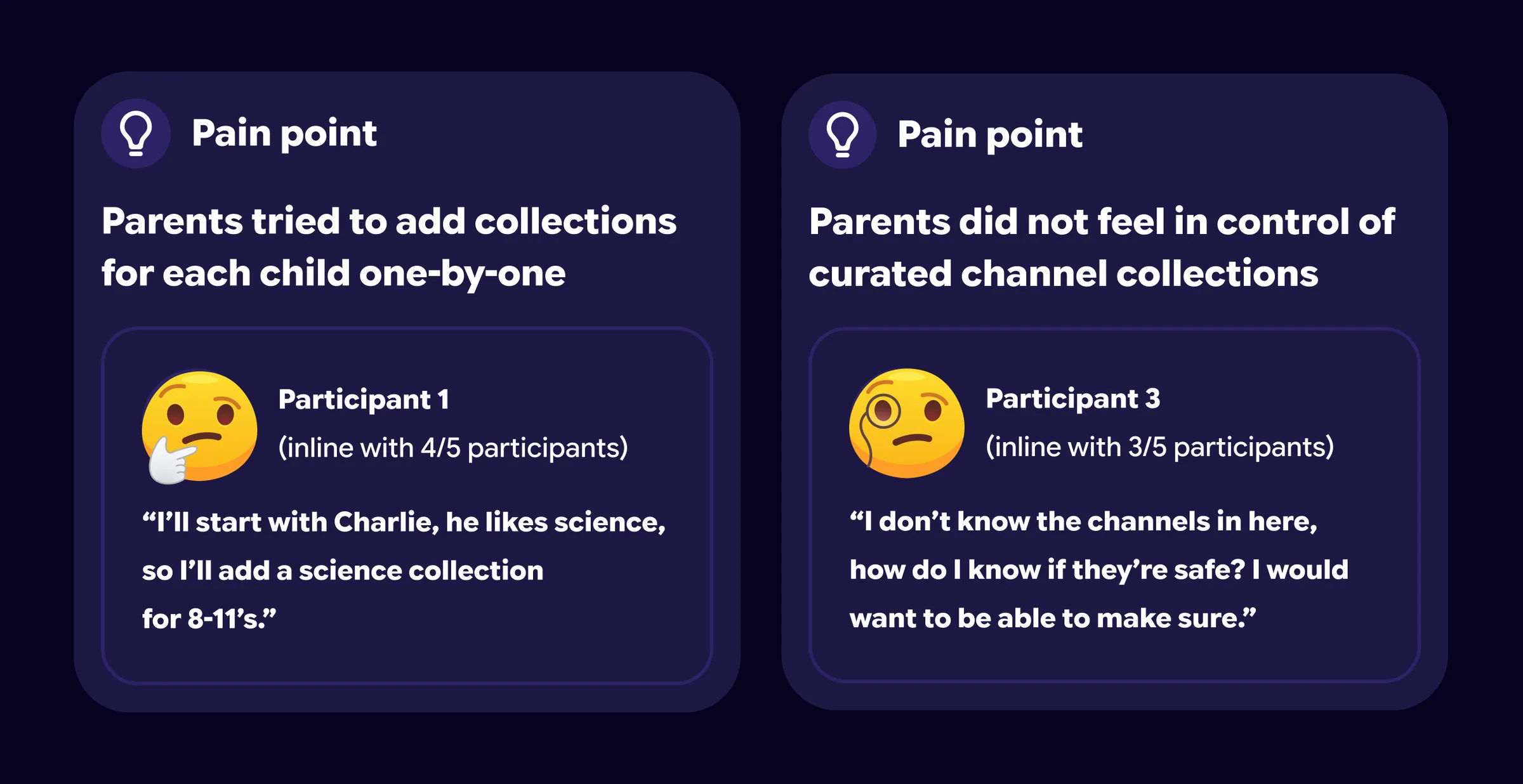
If parents can assign curated collections of YouTube channels to individual children, they will find it easier to manage multiple profiles and feel more in control.
Cycle 2 • Redirect and rethink
The findings showed that the setup process was not as intuitive as intended, prompting a new hypothesis to address the key issues. I redesigned the user flow and tested a new prototype with users.
Hypothesis
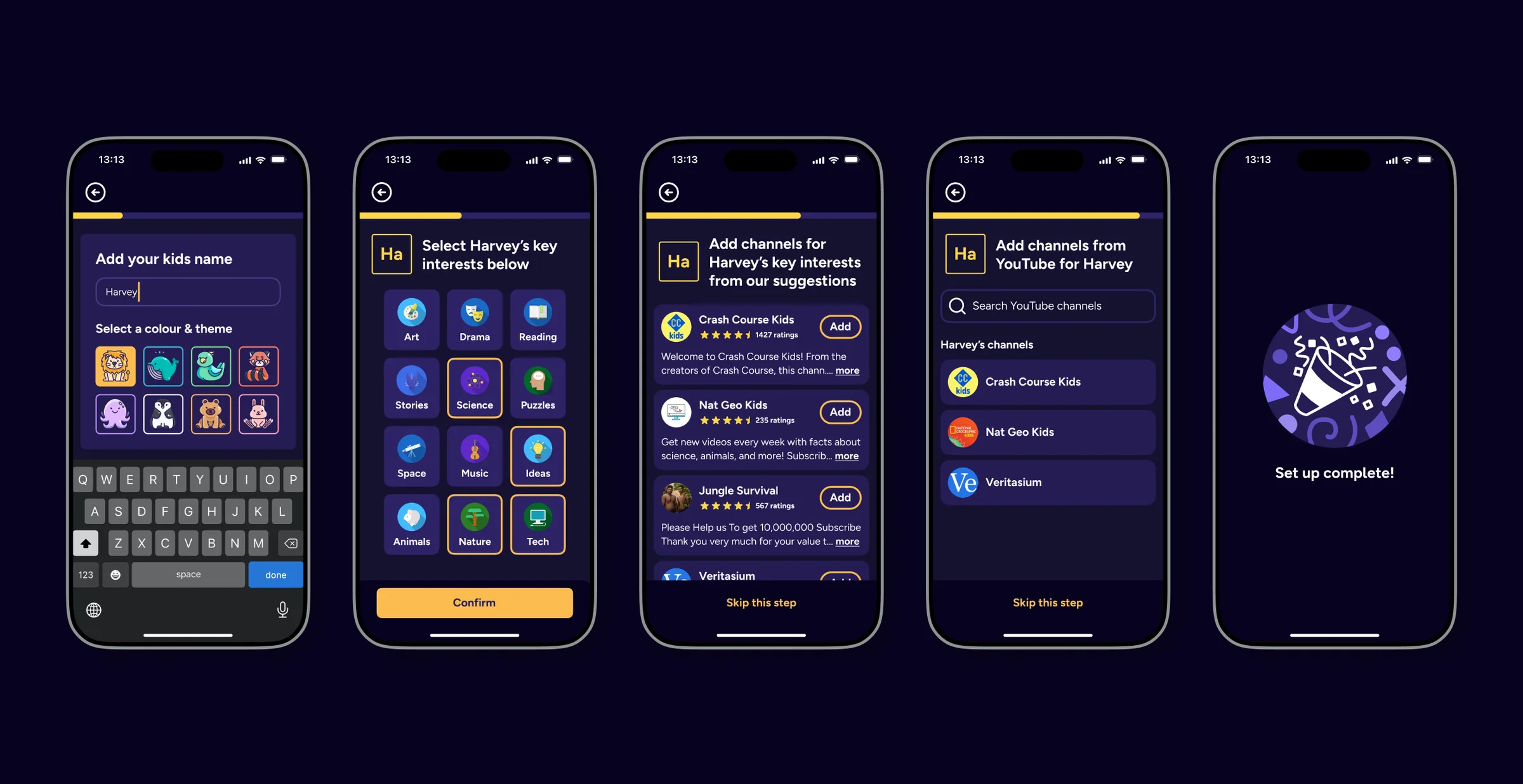
If parents select interests for each child, then add parent-reviewed interest-based channels for each child, they will find the setup process more intuitive and feel more in control.
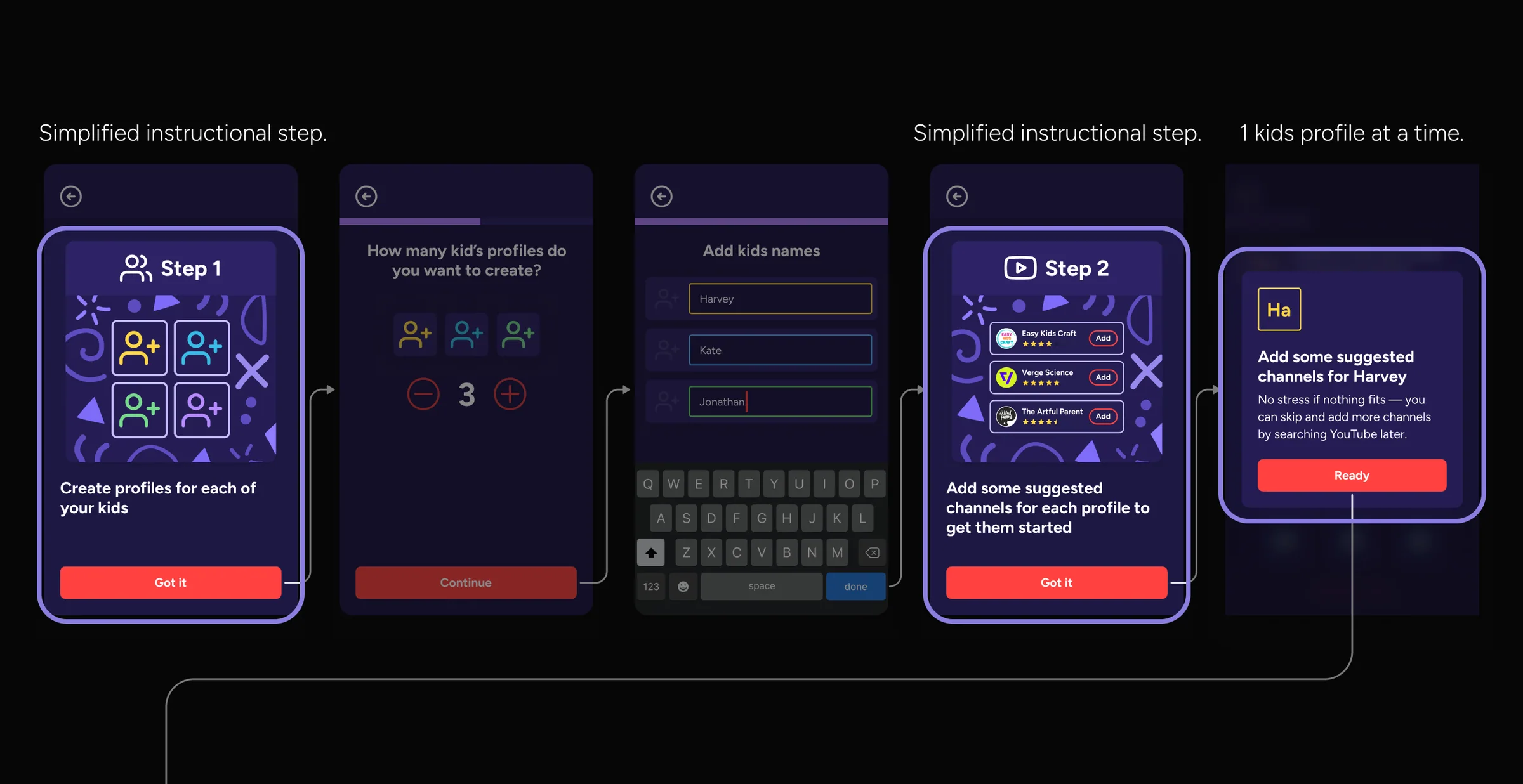
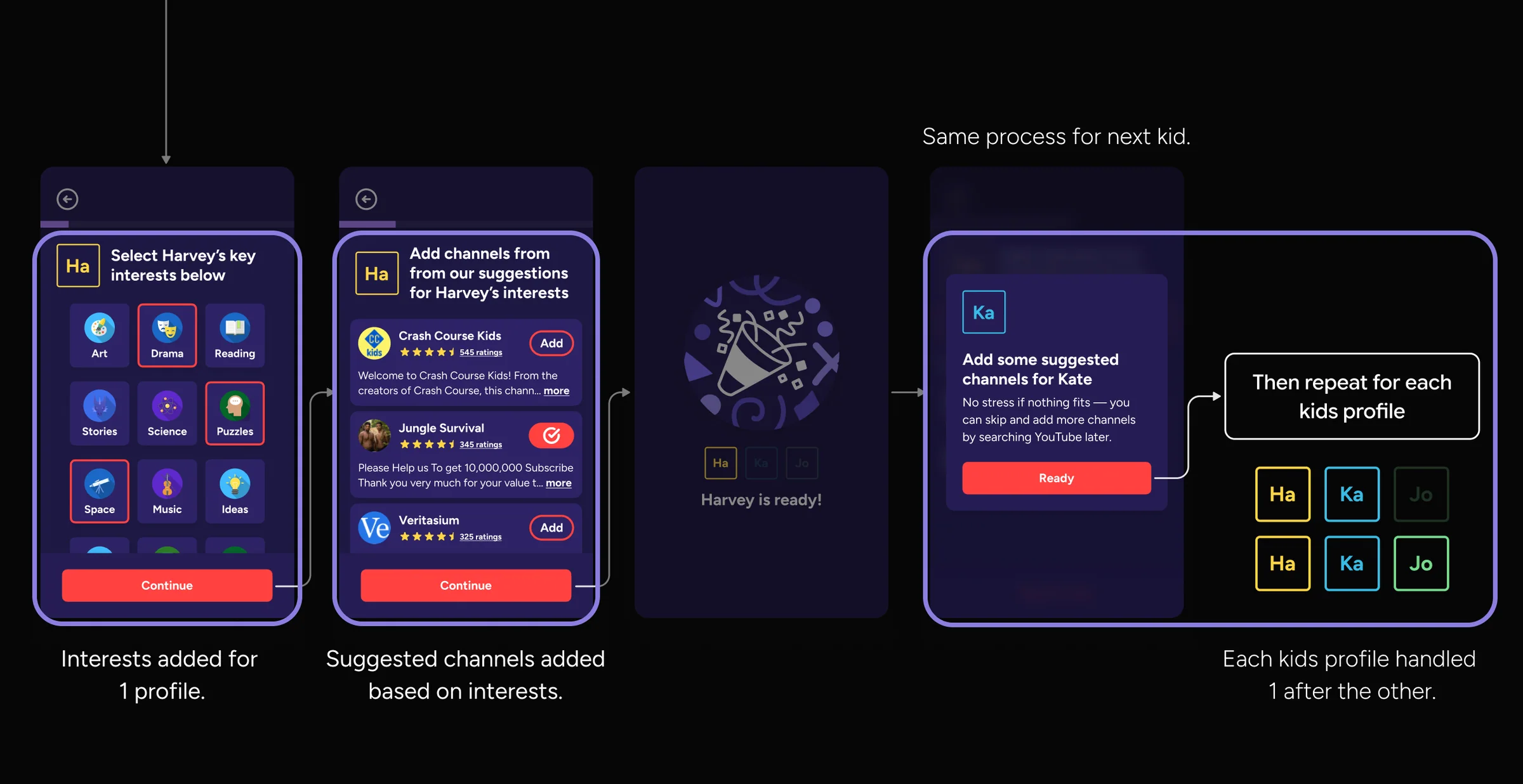
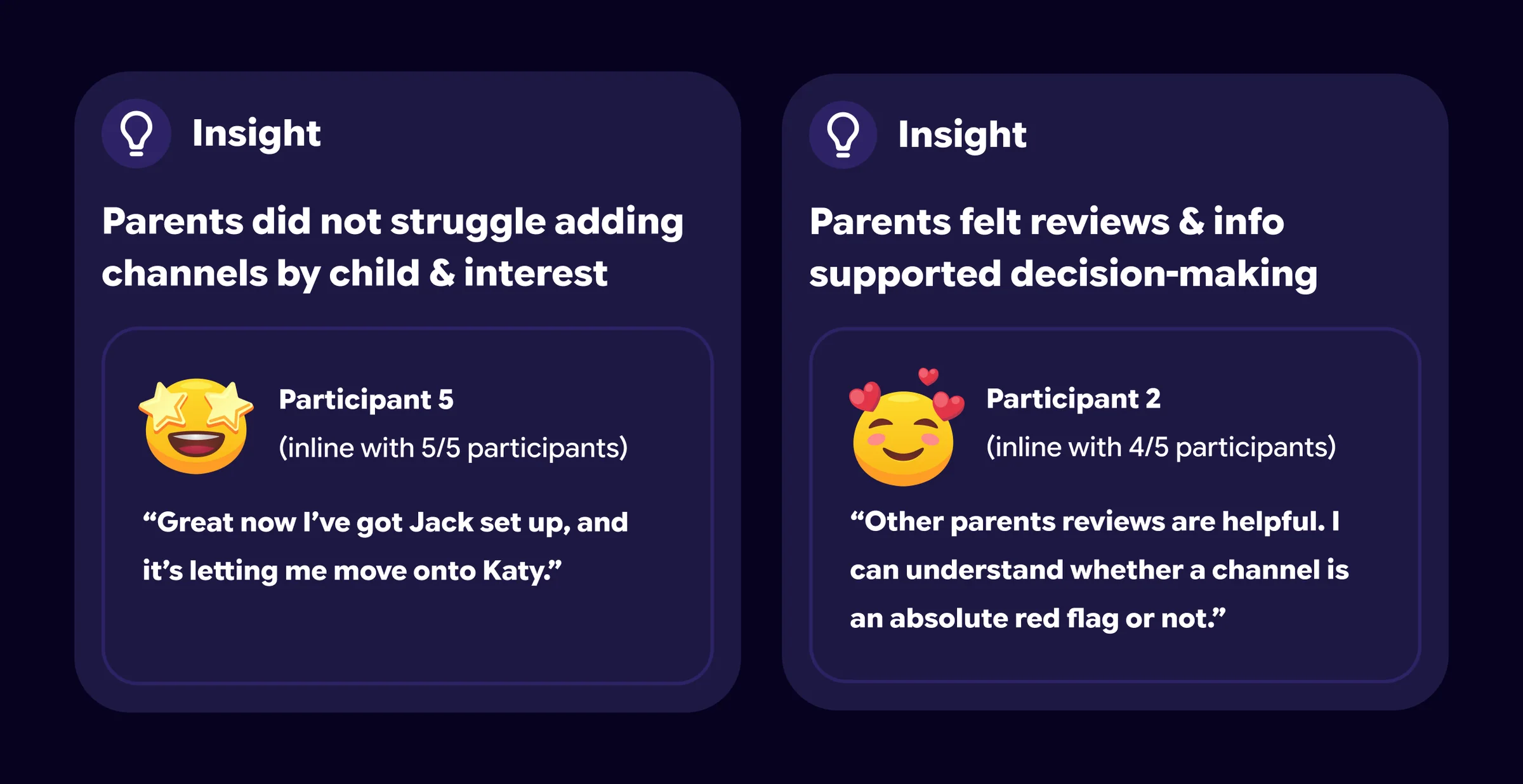
Across the study, parents consistently felt the app successfully solved the core issue in a manner that was very viable...
With a small sample size (n=5), we avoided drawing strong conclusions, but the results showed promising signal.
Cycle 3 • Next steps
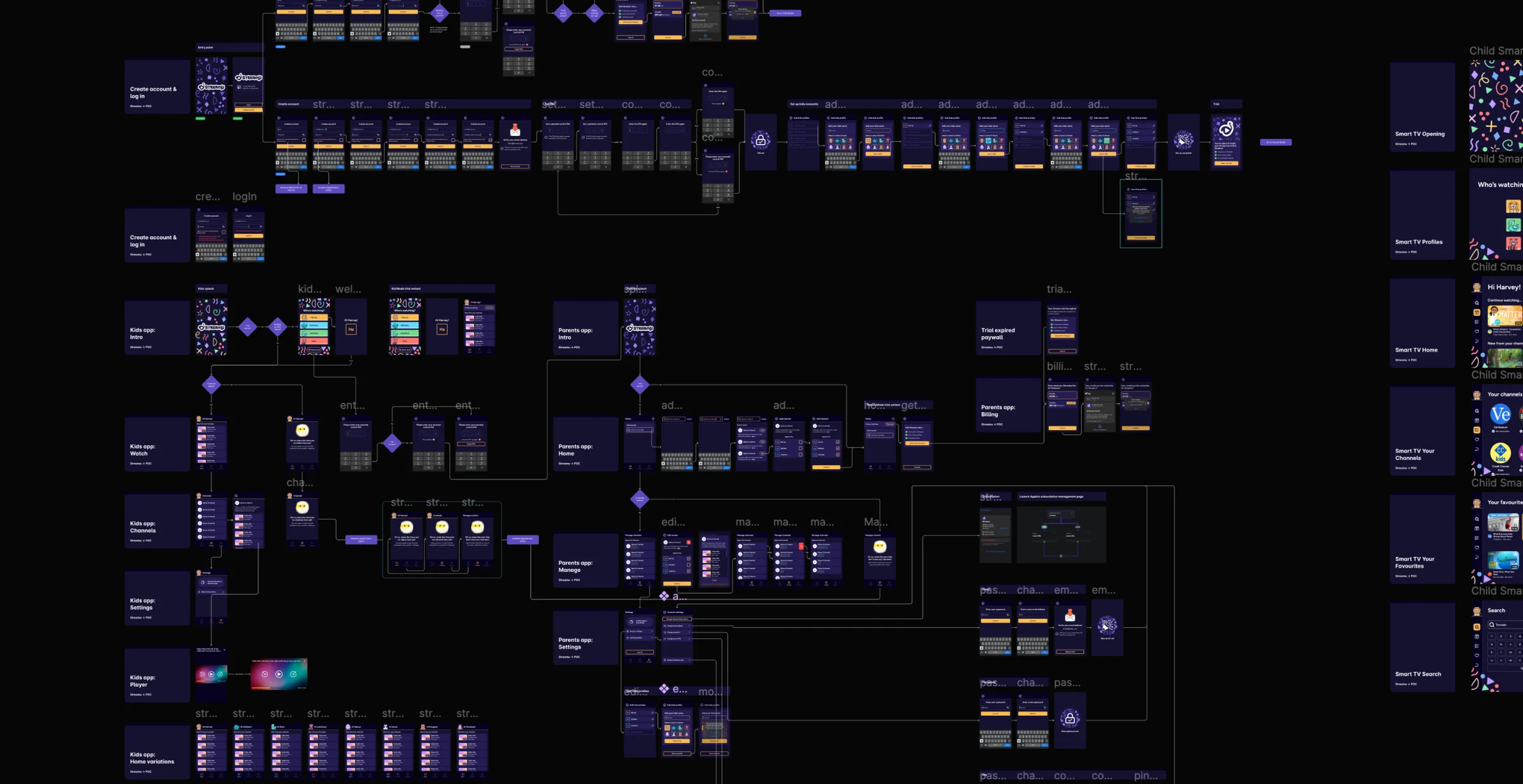
The findings showed channel selection to be much less of an adoption risk than hypothesised. I incorporated the improvements and mapped how the wider product experience would fit together.
The final product
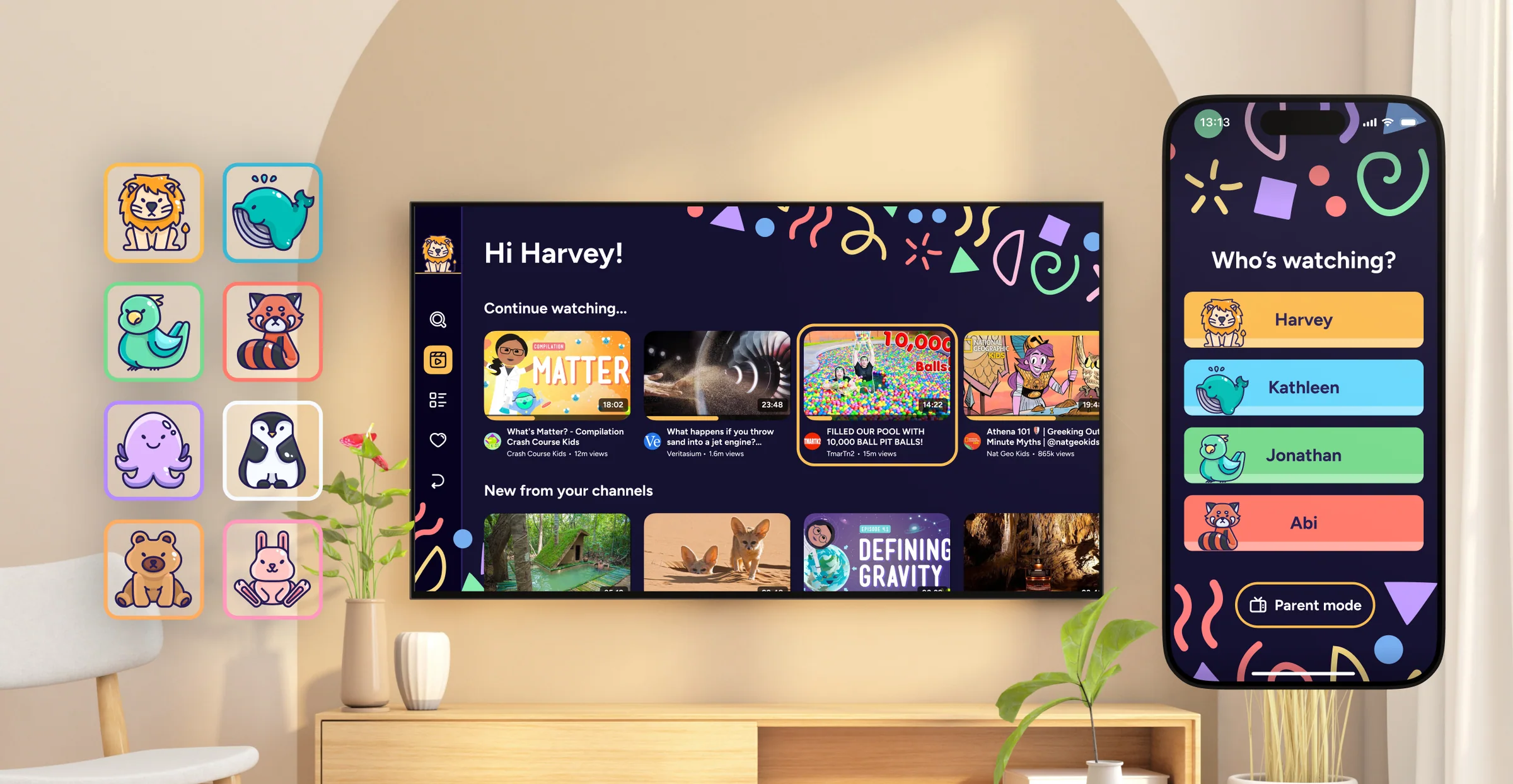
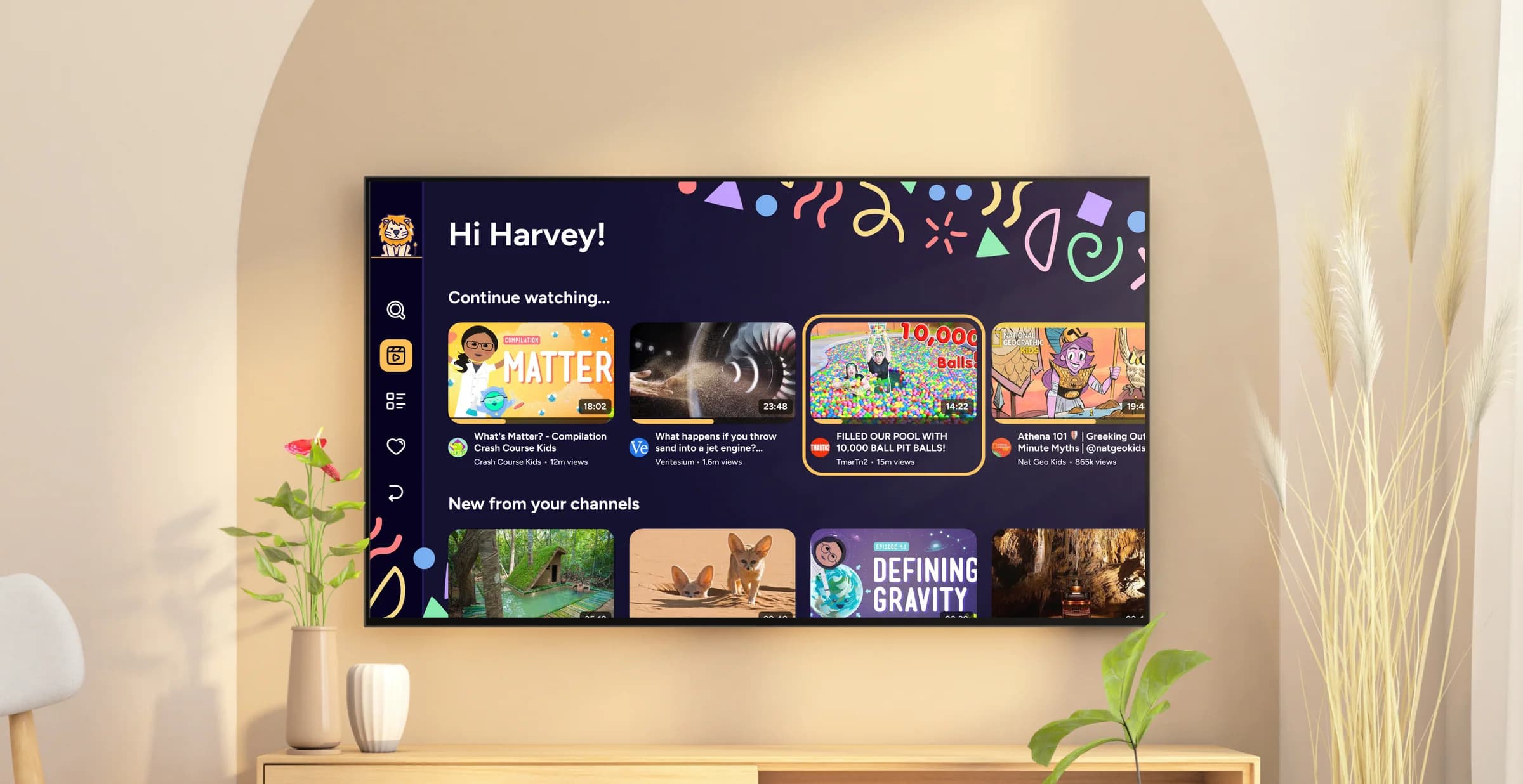
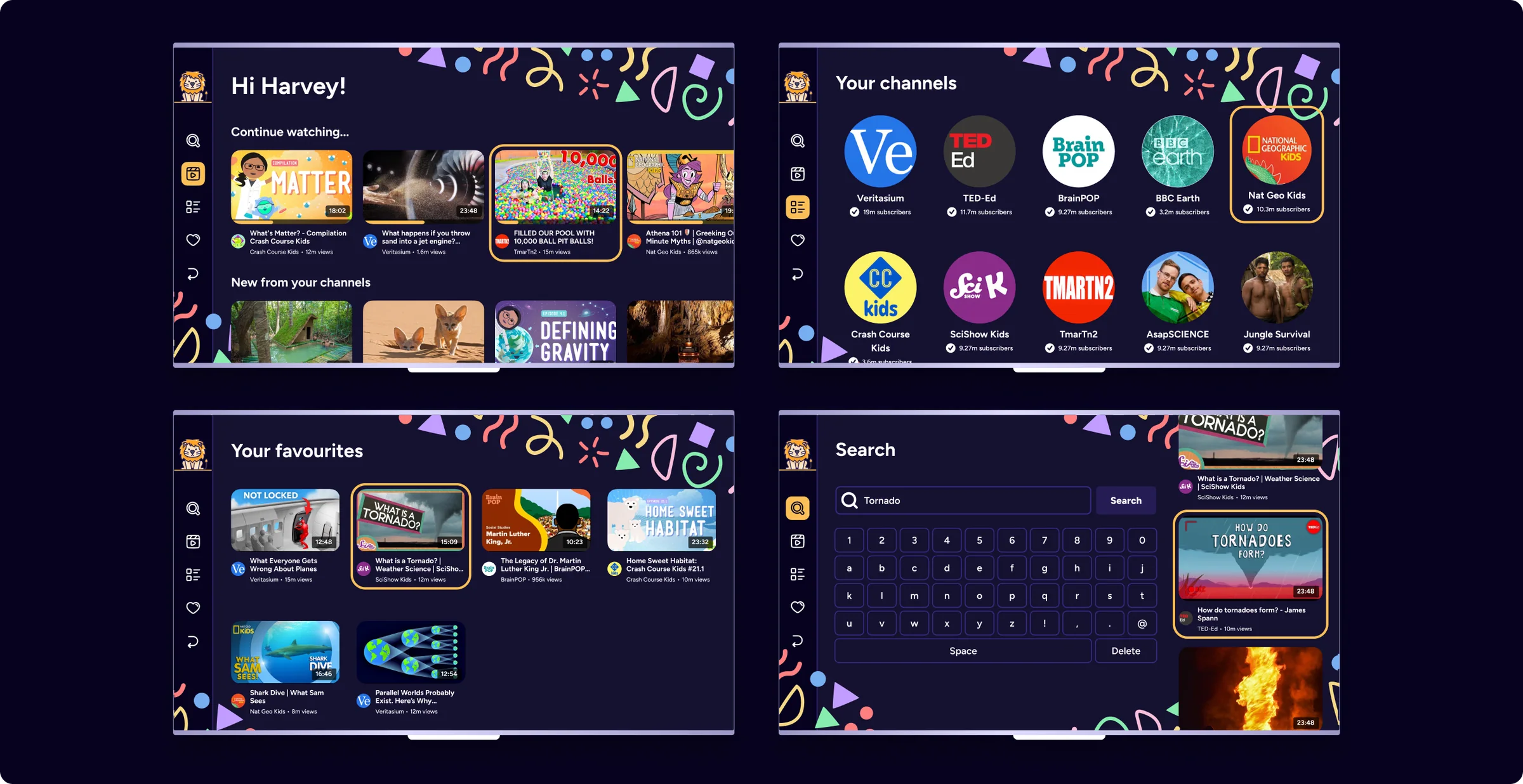
The final product unified insights from research, testing, and technical exploration into a core product including a parent app for managing channels and a Smart TV app for kids viewing them.
The final product • Strategic delighter
To encourage adoption, I revisited our research with 44 parents.
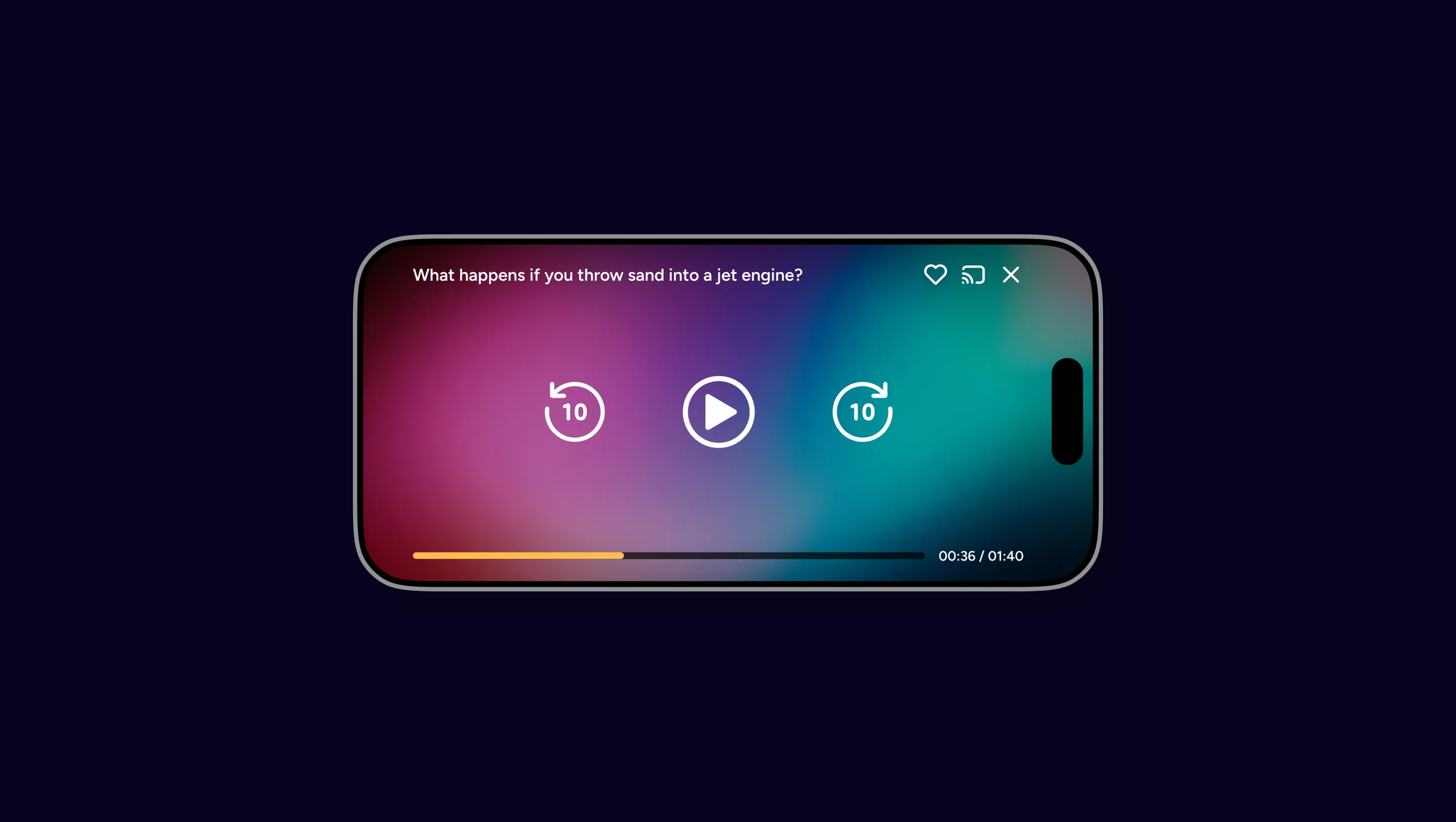
I proposed a "Pacifier Mode", allowing parents to hand their phone to their child with access to content from the Kids TV app while in the car or "on the go".